
 4 hours ago
1
4 hours ago
1 ARTICLE AD
Windows Insiders in the Experimental channel are getting a Search experience that finally feels less of a billboard and more of what users actually need.
 Windows
Windows Search has been a mess for years, and I do not use that word lightly. Open it to find a file, and you get trending Bing topics, Microsoft Store promotions, and an AI tools tile that just opens a browser.
That is changing, but not immediately for all users. Microsoft is rolling out a batch of Windows Search improvements to Insiders in the Experimental channel, and for once, this isn’t just a fresh coat of paint.
 Windows
What do the Windows Search improvements include?
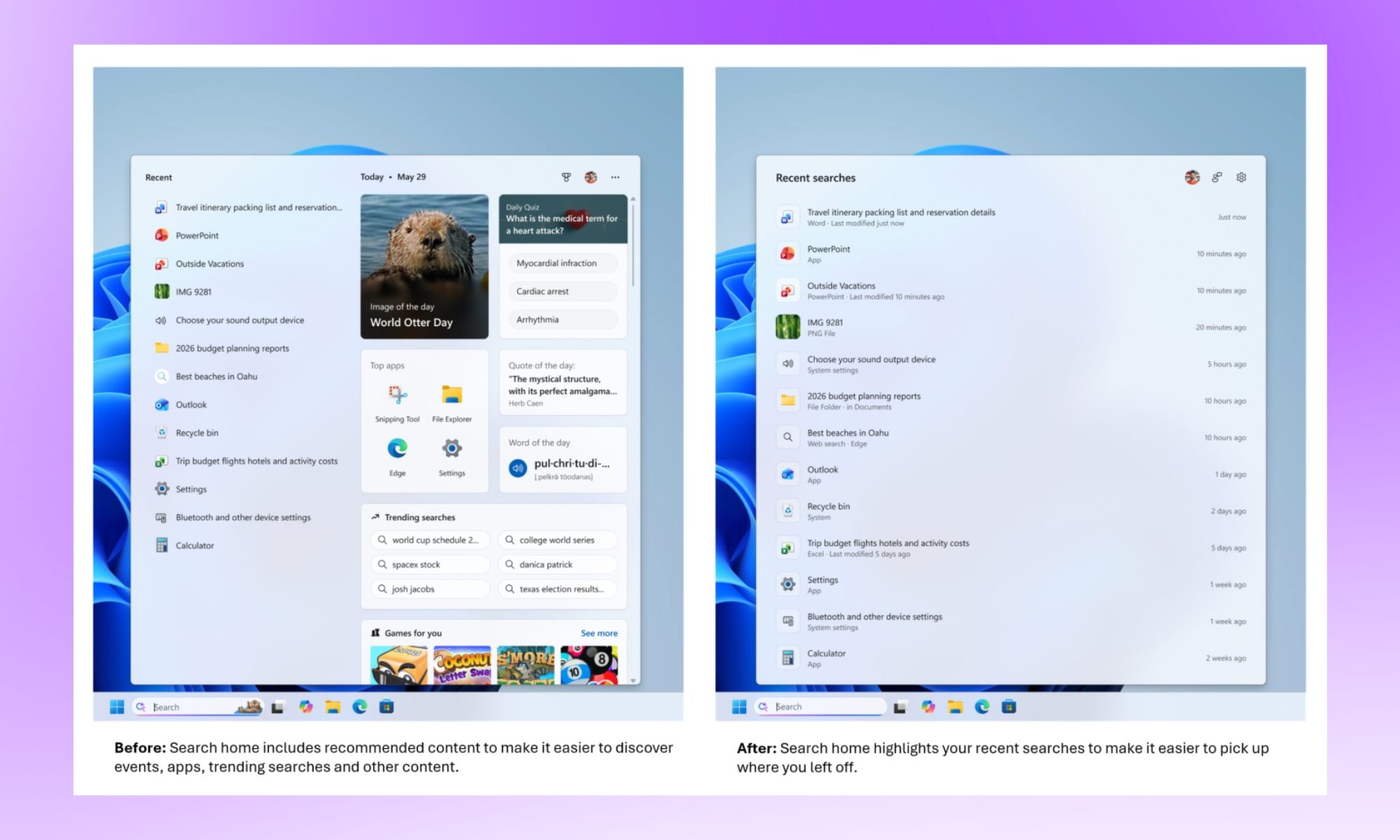
The search home screen has been decluttered. It ditches the trending topics and “games for you” carousel in favor of a simple, less infuriating list of recent searches. It’s less flashy, I’d say, but it’s also less like opening a mini-homepage every time you press the Windows key when you didn’t even need one.
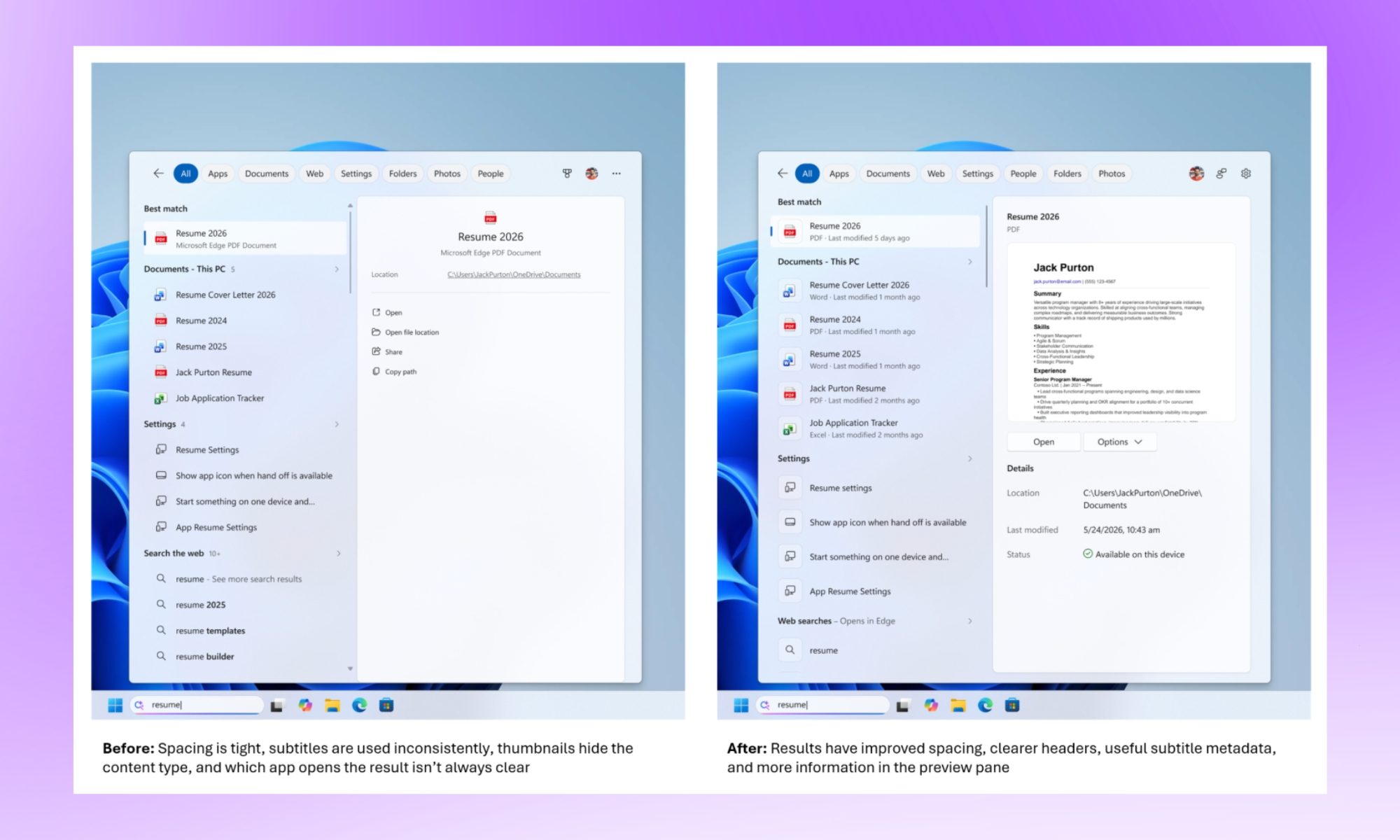
The bigger win, I’d say, is in the results themselves. Search now labels where each result actually comes from, whether that’s an app, a setting, a file, or a web suggestion. So, you won’t be guessing what you’re about to click into.
Promotional content and sponsored product carousels have also been stripped from web results, which was long overdue, in my opinion. Nobody typing “running plan” into their taskbar wanted a “Shop now” button shoved into the answer.
 Windows
What else is new?
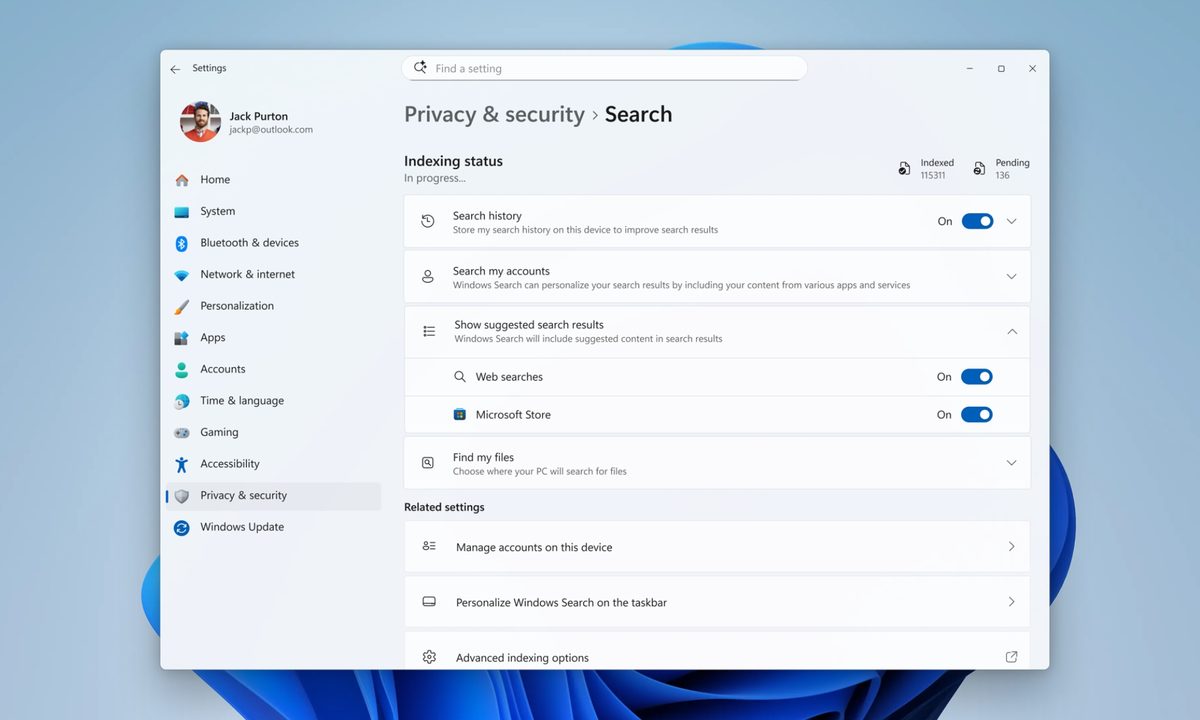
A new toggle in Settings > Privacy & Security > Search lets you turn off web and Microsoft Store suggestions entirely if you’d rather stick to results from your own PC, something that I’d personally enable from day one. Typo tolerance has improved too, so “utlook” will still surface Outlook instead of shrugging at you.
Local files and settings are also getting prioritized more aggressively when they’re the better match. Furthermore, two-character file searches are now supported. Microsoft says reliability fixes are baked in as well, targeting the crashes and loading hiccups longtime Insiders have flagged for months.
None of this reinvents Search. It just makes it behave as it should have all along. While all the changes are live for Insiders (in the Experimental channel), they should be rolled out as part of a stable Windows update in a few months.

For more than five years, Shikhar has consistently simplified developments in the field of consumer tech and presented them…
Apple doesn’t want to share this AirPods feature with Meta, but the EU may force its hand
Spring 2027, EU only, built under DMA pressure.

I’ve been an AirPods user for the last four years, and one of the things that makes it genuinely hard to leave behind is the seamless, almost magical pairing experience across devices. Open an AirPods case near your iPhone, and a pop-up appears within seconds. Switch to your Mac and the audio follows.
However, the experience is limited only to Apple devices. Doesn’t matter whether you have one of the coolest pieces of tech on the market right now; if it’s not Apple, it won’t get the same treatment. However, that might change for the Meta Quest or the Ray-Ban Meta glasses, thanks to pressure from the EU.
Copilot could soon help diagnose issues with your PC
A new PC Insights feature will help you find what's slowing down your PC, though Copilot itself may be one of the main problems.

Copilot's next trick is diagnosing your PC's problems, but the catch is that the assistant doing the diagnosing is itself part of the problem. Windows Latest reports that Microsoft is testing a new Copilot feature called PC Insights, which will let you ask the AI assistant natural language questions about your computer's hardware and storage instead of digging through the Task Manager or Settings. The feature will reportedly allow users to ask questions like, "Do I have enough space for a 100GB game?" and Copilot will check the available storage to offer a response. Users will also be able to ask about CPU usage, battery health, etc., to diagnose issues.
What Copilot will be able to see
OpenAI just took the handcuffs off your ChatGPT Work and Codex usage limits, at least for now
The 5 hour limit is gone for now, your usage counter just reset, and GPT 5.6 Sol is about to get a lot lighter on your allowance.

It seems that OpenAI has been on a gallop lately, releasing new updates left and right. Just a few days back, the company launched its GPT-5.6 Sol, Terra, and Luna models for the general public, and now it's back with another update that will please its users even more.
The headline change is that the 5-hour usage limit restriction in ChatGPT Work and Codex is being temporarily removed for all Plus, Business, and Pro plans. If you have ever been in the middle of a long working session and watched the limit message appear at the worst possible moment, this one is for you.


