
 2 hours ago
1
2 hours ago
1 ARTICLE AD
It was a trailblazer in a few ways, before it was copied down to its skeleton.
 Nadeem Sarwar / Digital Trends
When OpenAI launched its own web browser, there was plenty of skepticism as to why a frontier AI lab is even bothering with making a browser in the first place. And yet, the company went ahead and launched ChatGPT Atlas with a heavy dosage of AI features built in. Well, the days of browser ambitions are over, and it will be put on cold ice in September this year.
OpenAI says it is sunsetting the short-lived browser in favor of pushing the new ChatGPT work desktop app, which already has a built-in browser as well as a cloud browser for AI agents. And now that ChatGPT is making its way to other browsers, such as Chrome, as an extension, there is little need for maintaining a dedicated browser project of its own.
But why?
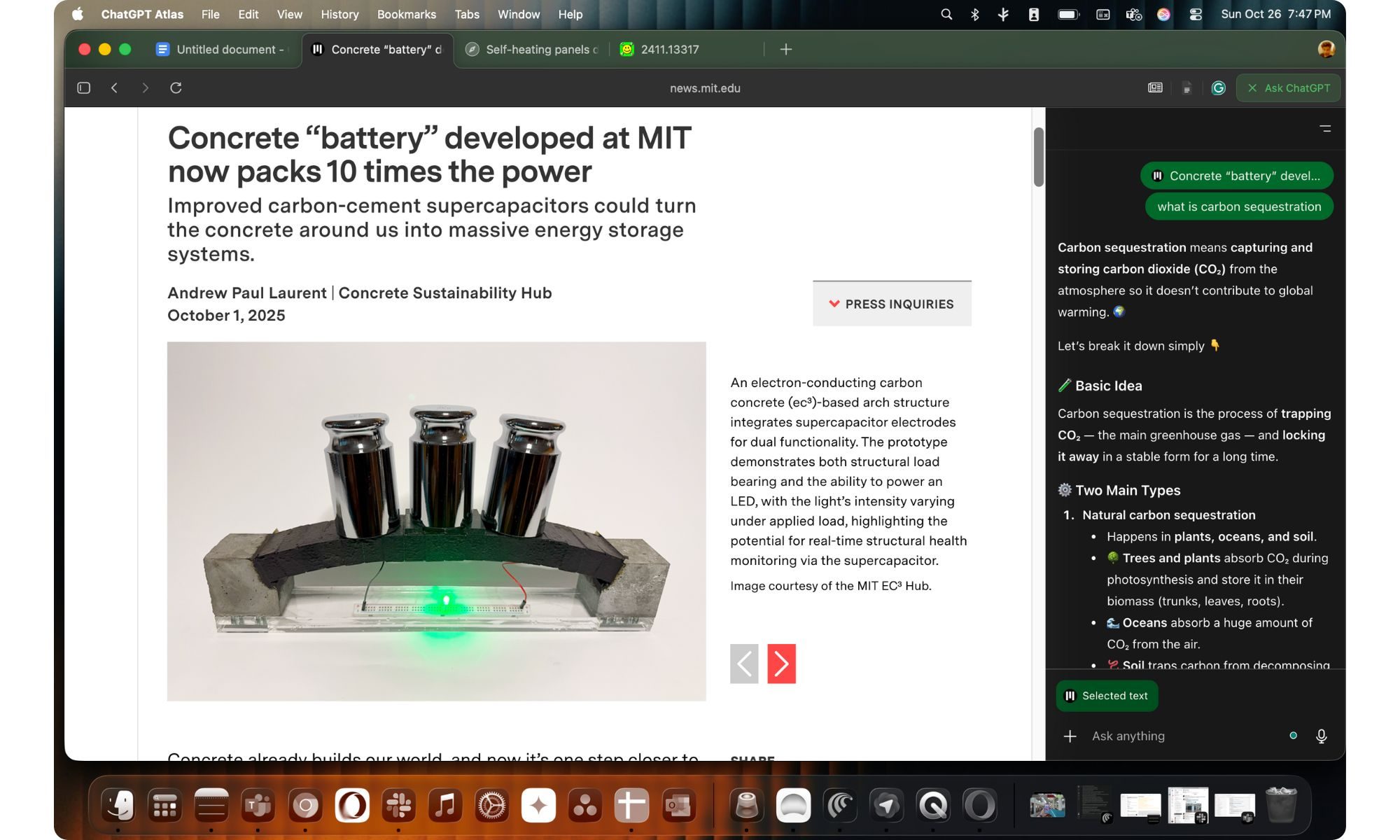 Assistant side panel in ChatGPT Atlas. Nadeem Sarwar / Digital Trends
“All these capabilities were built on what we learned from Atlas users who took a leap of faith on a new browser. You taught us how agents can help make browsing and doing work on the open web better, and we are applying these learnings to these new products,” James Sung, an OpenAI executive who leads the browsing project at the company, shared in a post on X.
ChatGPT Atlas was launched in October last year, and it put ChatGPT at the center of the browsing experience. The design is clean and instantly familiar, and that’s because it’s built on top of the Chromium engine under the hood. Your extensions, bookmarks, history, and saved logins carry over without any extra setup, so it genuinely feels like settling into a browser you already know.
Everything starts from the homepage, which centers around a single, unified search bar. The real story is the sidebar. Collapse the left pane, and you’ll find all the ChatGPT tools you’re used to, which include Search, Library, custom GPTs, Codex, and your full chat history. On the opposite side, there’s a dedicated sidecar panel that slides open whenever you tap the “Ask ChatGPT” button in the top-right corner.
It was a trailblazer
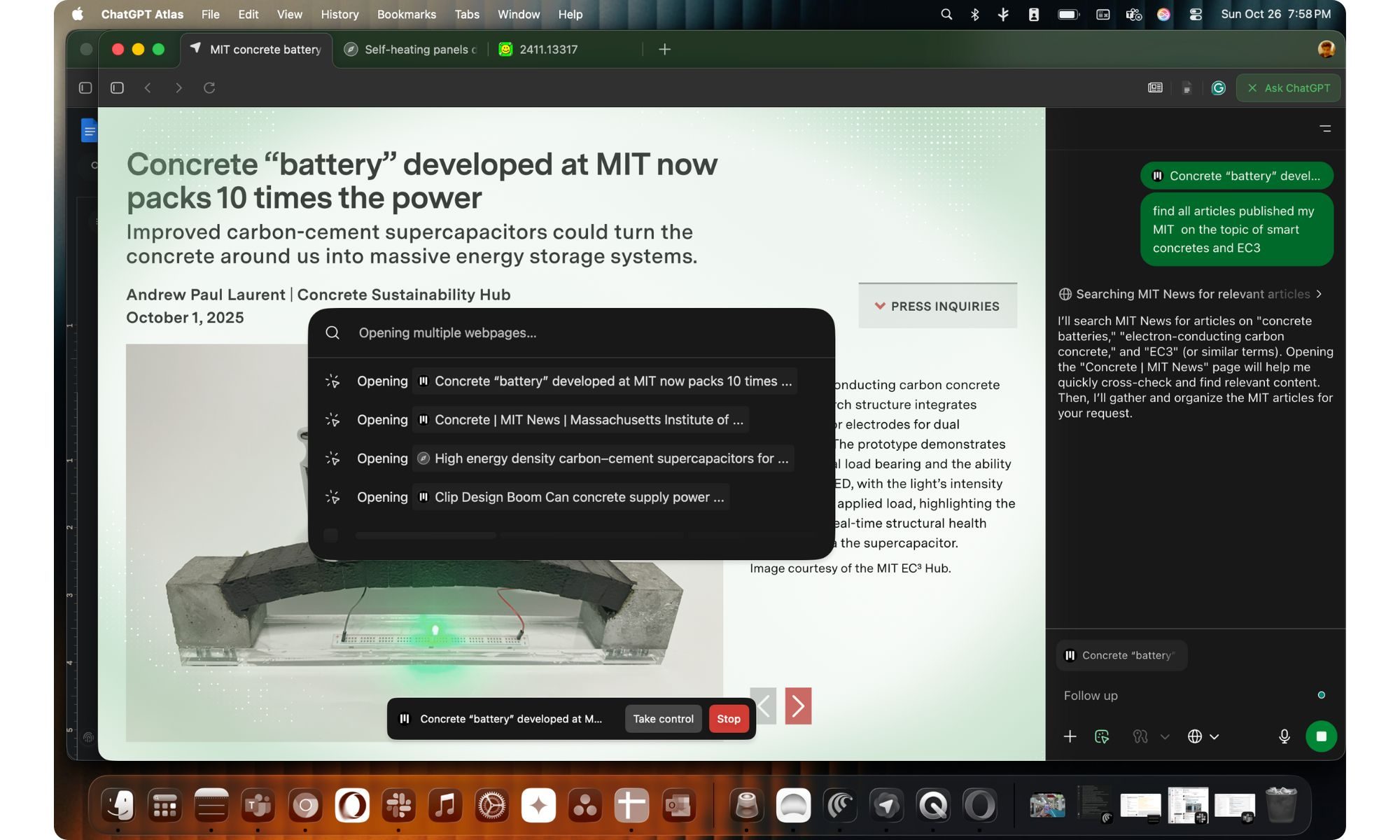 Agent Mode browsing the web on your behalf in ChatGPT Atlas. Nadeem Sarwar / Digital Trends
The side panel is my favorite AI browser feature, and it has since been implemented with full force with Gemini in Chrome and Copilot in the Edge browser. Even smaller players like Opera and Firefox have implemented the formula, with even more ambitious scope in some cases. Perplexity was another core AI player that followed in the footsteps of its own AI-first browser called Comet.
It even had an agent mode that could get work done autonomously on your behalf. But the challenge before Atlas was always monumental. Why use Atlas, when you have Chrome built on the same foundation and offering a more robust set of features? Then there was the familiarity aspect, as Atlas was a little too ambitious at revolutionizing the web browser experience with some really future-forward tools that offered a learning curve of their own.
Then came the flood of security reports and warnings that flagged AI browsers like ChatGPT Atlas and Perplexity Comet as risky. It didn’t help that Google got inspired (read: copied) some of the best capabilities of Atlas, such as tab awareness and multi-tab actions, in Chrome, effectively killing the appeal of Atlas. The journey lasted less than a year, but I appreciate that OpenAI pushed the envelope for what browsers can do with AI coming into the picture.

Nadeem is the Managing Editor at Digital Trends.
Windows 11 Search is getting bigger, but only by 4 pixels
The change could be in preparation for the upcoming Ask Copilot feature

If you have used Windows 11 Search after the June update, you may have noticed it feels a little less annoying. Microsoft recently made the Start menu and Search more responsive, and also fixed one of Search’s stranger limits by letting it find local files using just two characters.
Now, the company appears to be making a much smaller change. According to Windows Central, Microsoft accidentally revealed that the search box in the Taskbar and Start menu is getting 4 pixels taller. Four pixels sounds like the kind of change only a UI/UX designer could love, but screenshots from the Insider Preview build suggest it is visible once you know where to look.
Claude Reflect is here. It’s your usual yearly Wrapped, but with Anthropic’s AI
It also makes you reflect on your usage and reminds you to take breaks.
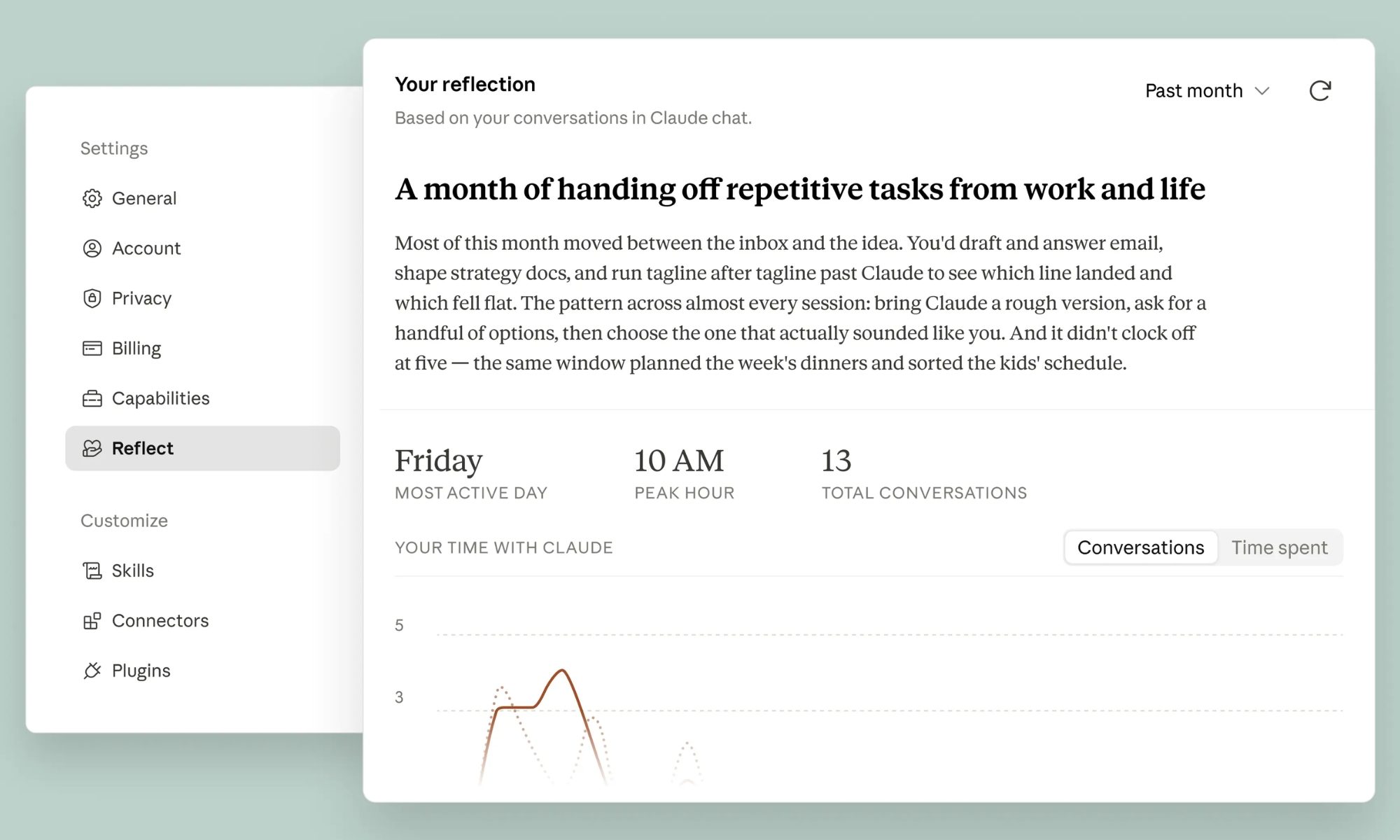
Anthropic just launched a usage analytics dashboard for Claude. It’s like the ‘Wrapped’ feature you see every major streaming or AI service announce at the end of a year, except it’s not called Claude Wrapped.
The feature is called Claude Reflect, as it does more than simply tell you what you’ve been using the AI for. Available in beta for free, Pro, and Max users who have enabled memory, the feature encourages mindful use of Claude or other AI tools.
Parents worry AI is becoming a crutch for their kids while schools struggle to keep up, survey finds
Only 1 in 3 schools has AI guidelines as nearly 50% parents grow anxious about kids leaning on AI too much.

Kids are using AI for their homework, and half of their parents are not sure that's a good thing. Deloitte's 2026 Back-to-School Survey, which polled 1,207 parents of K-12 students, found that 49% worry their child relies on AI too much.
The findings suggest AI adoption is moving far faster than the policies meant to guide it, leaving many parents unsure how these tools are being used in education.